Plan head-to-head: a step-by-step tutorial
Plan head-to-head, step by step: pick two plans, read the value-per-dollar winner and the model list, switch the basis, then share it. With screenshots.

The plan head-to-head compares two subscription plans model by model, on the monthly value each one grants per dollar. This walkthrough covers every step, from an empty page to a shareable comparison. For what value per dollar means, read how AI subscription credits work.
Step 1: open the page
Open /tools/plan-head-to-head/. The page starts empty: no plans selected and nothing to compare.

Step 2: pick two plans
Choose Plan A and Plan B from the two lists. Only subscription plans that publish a quota appear, because the comparison needs a monthly quota to value. The two plans need not carry the same models.
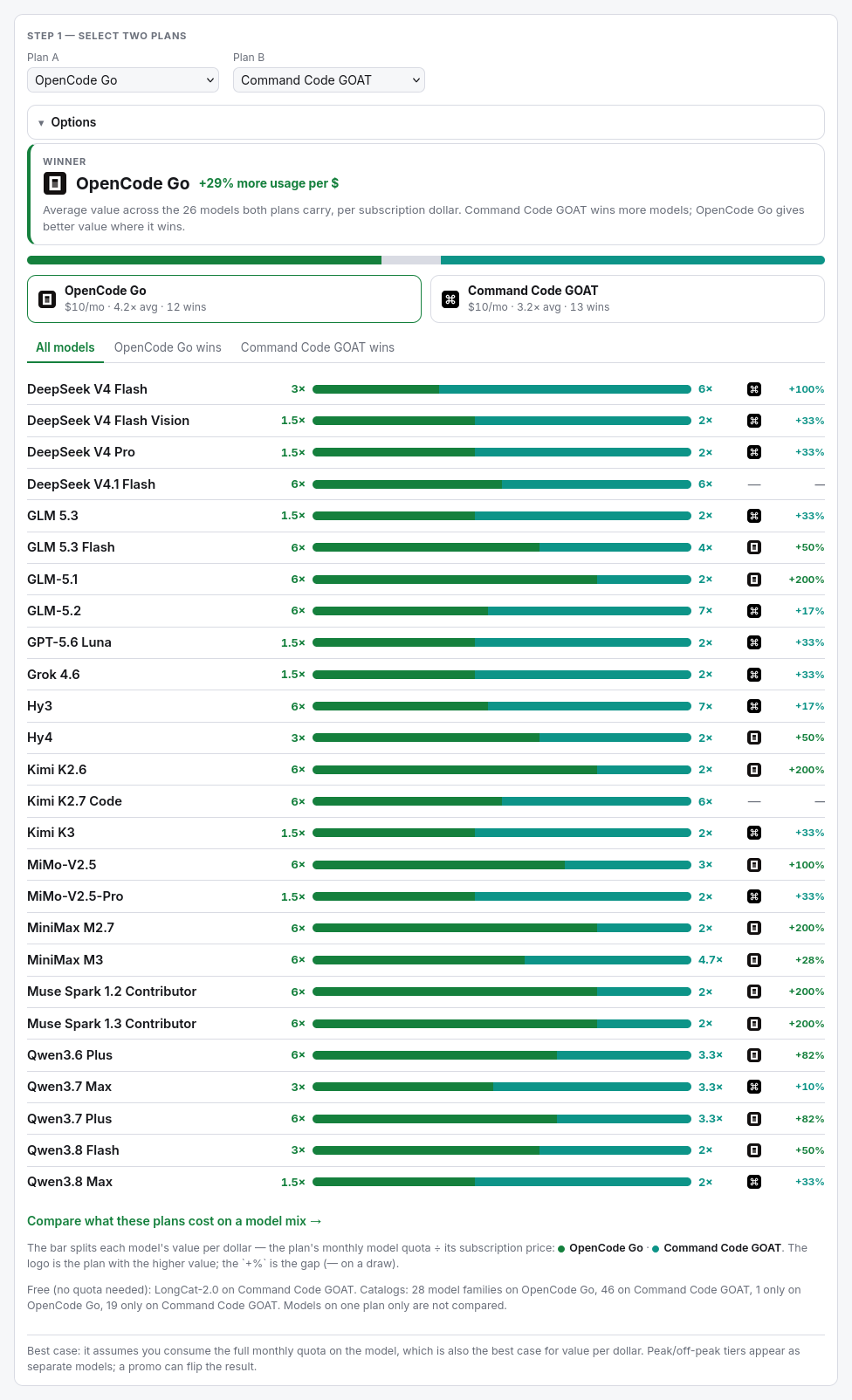
Step 3: read the verdict
The winner card names the plan that grants more monthly usage per dollar, with the average gap. The bar and the two plan cards summarise the split: each plan's monthly price, its average multiplier per shared model, and how many models it wins.
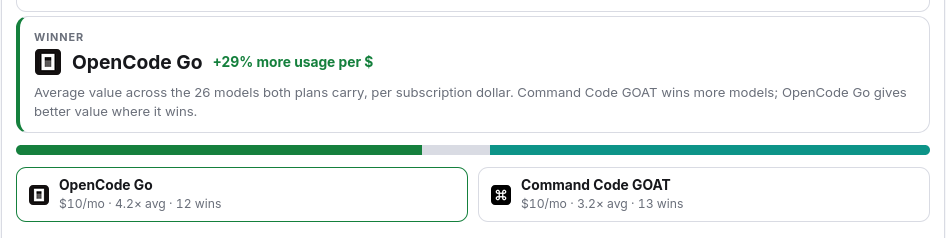
Step 4: browse the model-by-model list
The list scores every shared model. Each row shows the two plans' value per dollar, the logo of the plan with the higher value, and the percentage gap. Use the tabs to filter to one plan's wins, or All models. A model both plans carry at the same value is a draw.
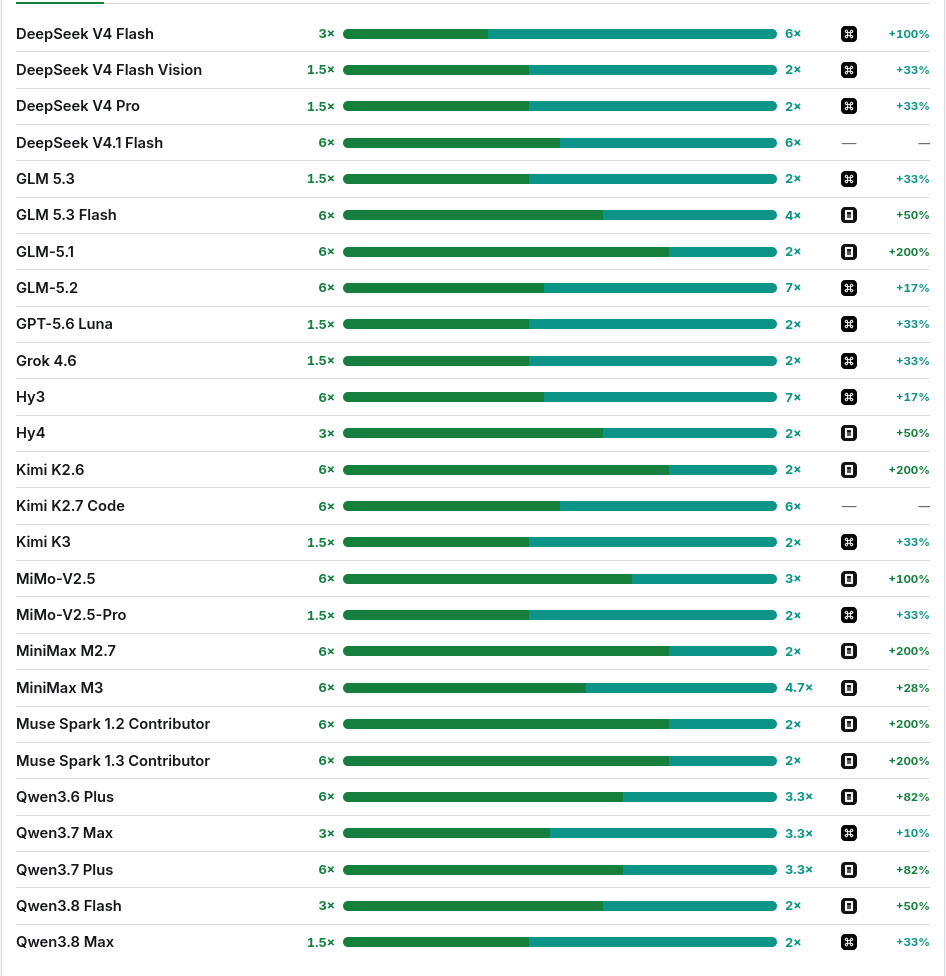
Step 5: set the options
Open Options to change the comparison:
- Compare on — the basis: value (quota per dollar, the default), quota (raw monthly quota) or peak (each plan's most generous model).
- Promo prices — when off, every figure uses the pre-promo list rates and quotas.

Step 6: switch the basis to raw quota
Set Compare on to Quota to ignore the price and compare the monthly quota each plan grants per model. The winner can change, because value weights the plan's subscription and raw quota does not.
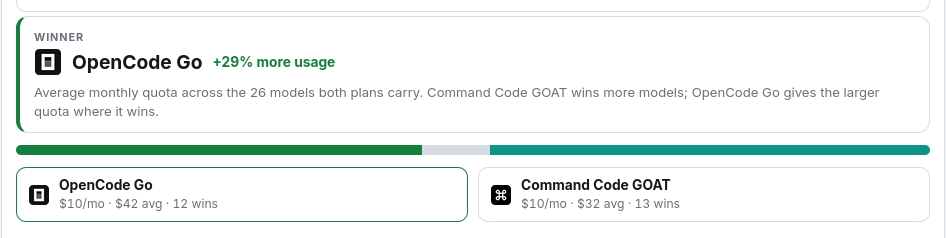
Step 7: read the peak basis
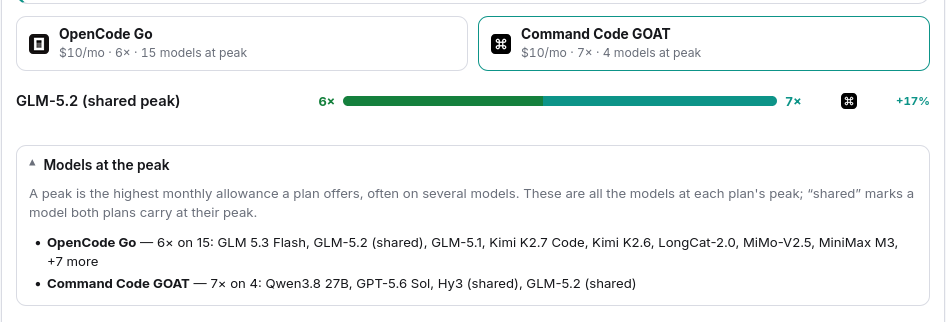
Set Compare on to Peak to compare each plan's most generous model: the highest monthly quota it offers, per subscription dollar. The peaks can be different models, so this is each plan's best case. Open Models at the peak to list every model at each plan's peak, with the shared ones marked.
Step 8: share the comparison
The page writes its state to the URL. Change the plans, the basis or the options, and the address bar follows. Click Share to copy a link that reopens the same comparison. Under the result, Compare what these plans cost on a model mix → opens the plan comparison tool on the same two plans.
The tool is marked Experimental. Confirm every figure against the provider's own pricing before you rely on it.
Next step
Compare your own two plans in the plan head-to-head. To price one monthly workload on both, open the plan comparison tool; to rank every plan on a mix, open the plan finder.
Frequently asked questions
What does the plan head-to-head compare?
Two subscription plans model by model, on the monthly usage each one grants per dollar. The winner is the plan with the better overall value.
What is the basis?
How the models are valued: the monthly quota per subscription dollar (the default), the raw monthly quota, or the plan's peak model.
Why do the two plans show different models?
Only the models both plans carry are compared. Models on one plan only are listed as a note, not scored.
Can I share the comparison?
Yes. The two plans, the basis and the options live in the URL and the Share button copies the link.