Plan finder: a step-by-step tutorial
Plan finder, step by step: build a model mix, read the cheapest plan, the ranking and the chart, filter by privacy, then share it. With screenshots.
The plan finder values one monthly workload against every subscription plan and pay-as-you-go gateway, and ranks them. This walkthrough covers every step, from an empty page to a shareable ranking. If the quota idea is new, start with how AI subscription credits work.
Step 1: open the page
Open /tools/plan-finder/. The page starts empty: no models and no usage. Nothing is ranked until you set a mix.
Step 2: build the model mix
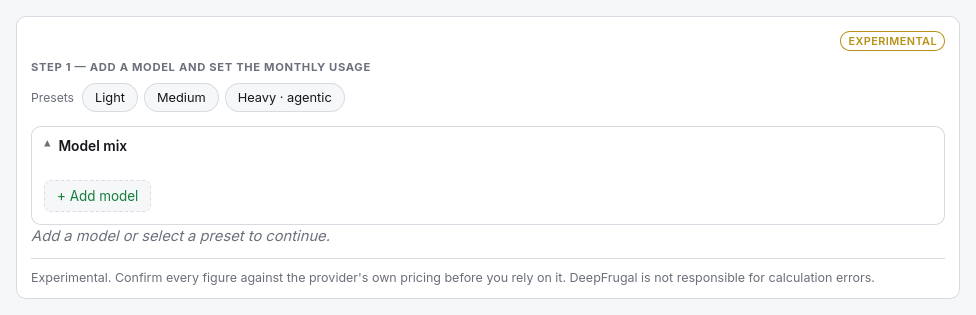
Load a preset — Light, Medium or Heavy · agentic — or build your own mix under Model mix. Each row is one model variant. Set the monthly usage for each token type:
- Input — fresh prompt tokens, in millions per month.
- Output — generated tokens, in millions per month.
- Cached read — prompt tokens served from cache, when the model bills them.
- Cached write — tokens written into the cache, when the provider charges.
The order matters: each plan grants one shared budget, spent model by model in the listed order.
Step 3: read the winner
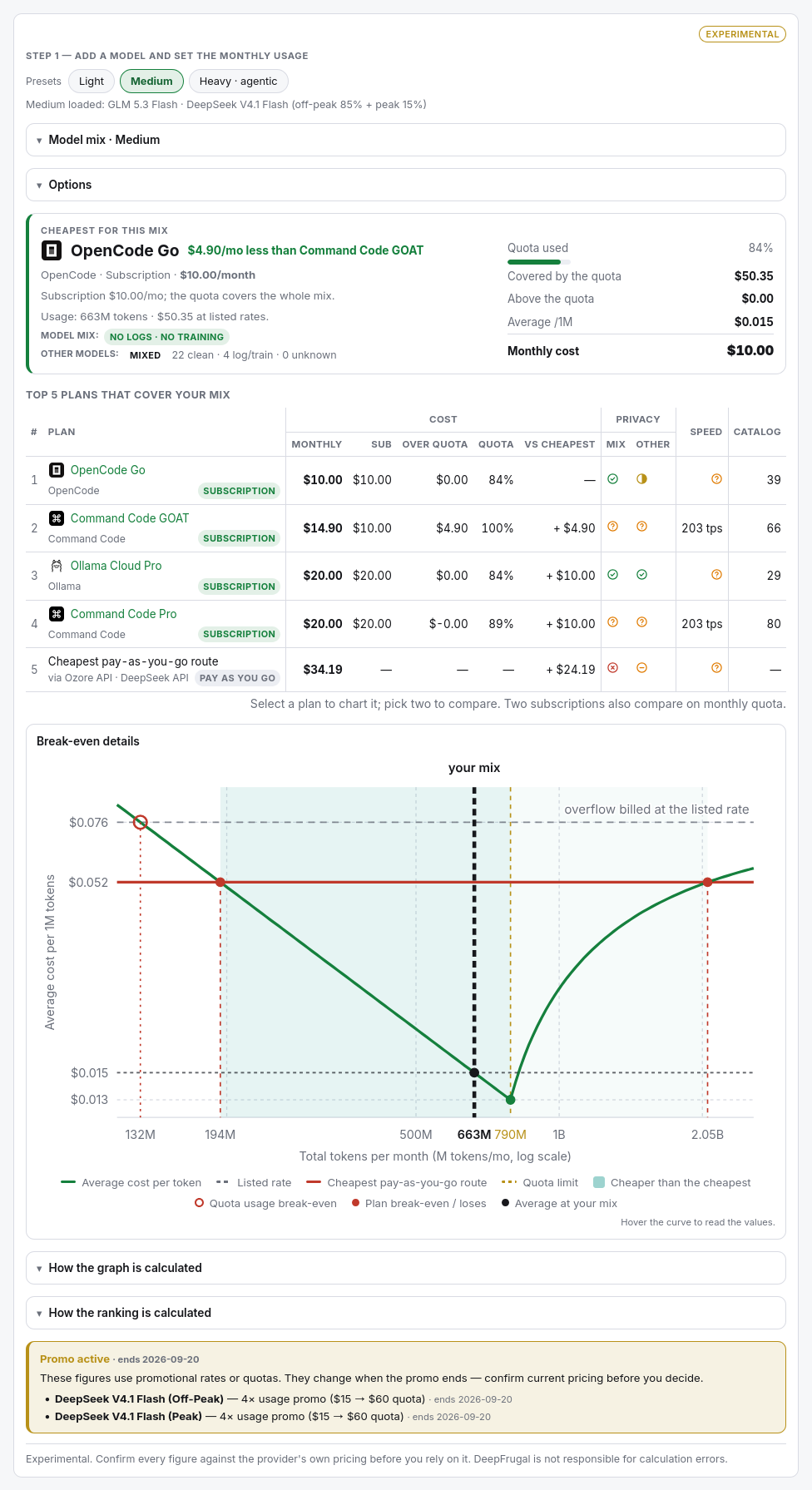
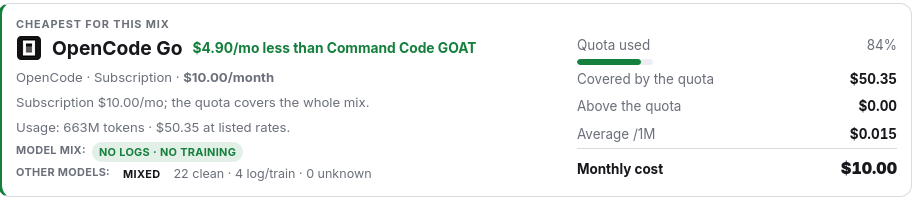
The winner card names the cheapest plan for your mix and the monthly gap to the runner-up. It shows the Quota used, what is Covered by the quota, what falls Above the quota, the Average cost per 1M tokens and the Monthly cost, plus the privacy of the mix and of the other models.
Step 4: read the ranking
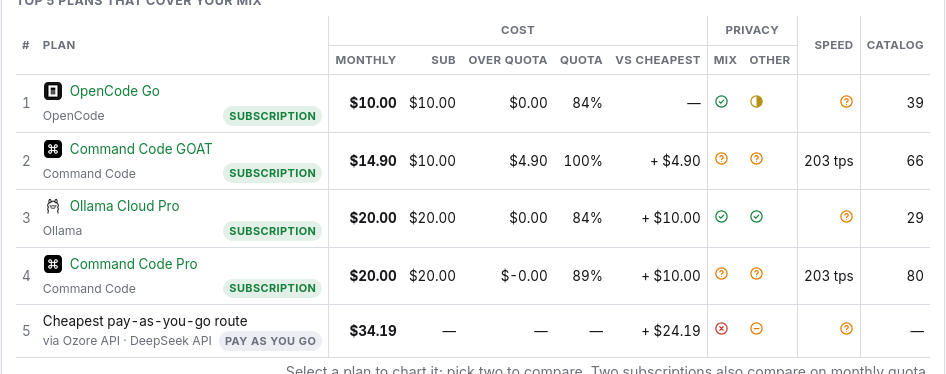
Top 5 plans that cover your mix ranks plans and the cheapest pay-as-you-go route by monthly cost. Each row shows the subscription and the monthly cost, the cost over quota, the share of the quota used, the gap to the cheapest row, the privacy of the mix and of the other models, the speed and the catalog size. Plans carry a Subscription chip; the metered row carries Pay as you go.
Select a plan to chart it, or pick two to compare them in the chart. Two subscriptions also link to a model-by-model quota comparison.
Step 5: read the chart
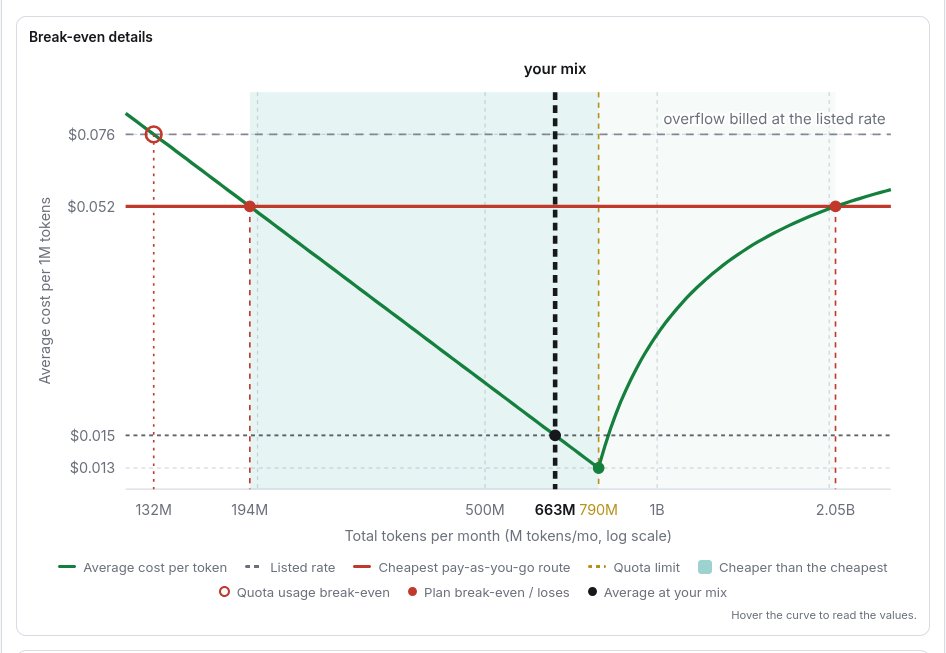
Break-even details draws the winner's average cost per 1M tokens as your mix scales up. The average falls inside the quota, reaches the plan's effective rate at the quota limit and climbs again above it towards the overflow base. The markers show the quota usage break-even, the plan break-even, where it loses to the cheapest route, and your own mix. Open How the graph is calculated for the method.
Step 6: set the options
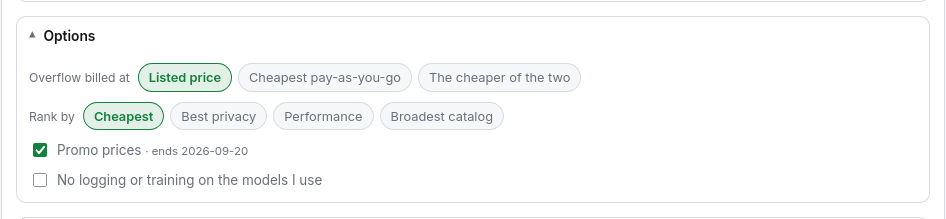
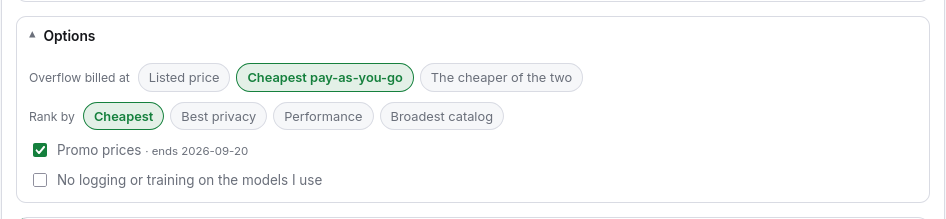
Open Options to change how the ranking is built:
- Overflow billed at — what usage above a quota costs: the listed rate (the default), the cheapest pay-as-you-go rate, or the cheaper of the two.
- Rank by — Cheapest, Best privacy, Performance or Broadest catalog.
- Promo prices — when off, every figure uses the pre-promo list rates and quotas.
- No logging or training on the models I use — restrict the ranking to clean routes.
Step 7: filter by privacy
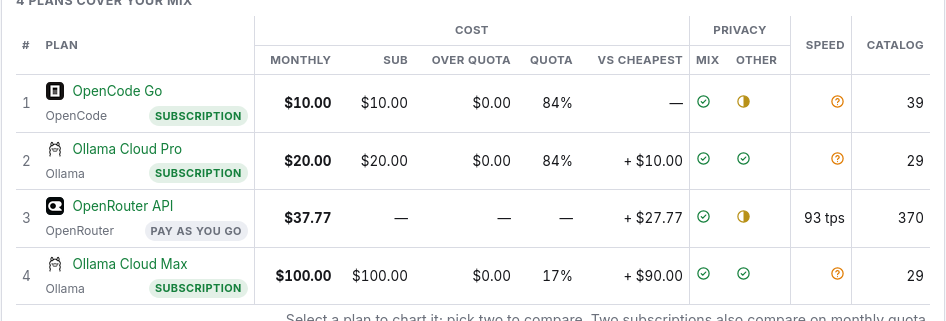
Turn on No logging or training on the models I use to restrict the ranking to routes that do not log prompts or train on your data. The winner and the chart recompute on the clean routes only.
Step 8: change the overflow base
Set Overflow billed at to Cheapest pay-as-you-go to price the usage above each quota at the cheapest metered rate found for each model. The ranking can change, because a plan that was cheap on its listed rate may lose once its overflow is priced against the open market.
Step 9: share the ranking
The page writes its state to the URL. Change the mix, the options or the filters, and the address bar follows. Click Share to copy a link that reopens the same ranking. Open How the ranking is calculated for the method.
The tool is marked Experimental. Confirm every figure against the provider's own pricing before you rely on it.
Next step
Rank your own mix in the plan finder. To weigh one plan against pay-as-you-go, open the break-even calculator; to compare two subscriptions side by side, open the plan head-to-head.
Frequently asked questions
What does the plan finder do?
It values one monthly model mix against every subscription plan and pay-as-you-go gateway, ranks them by monthly cost and marks the winner.
What does it rank by?
Cheapest by default; you can also rank by best privacy, performance or broadest catalog in Options.
What is the cheapest pay-as-you-go route?
A composite row that prices each model at the cheapest metered gateway found for it. It shows what the mix would cost without a subscription.
What happens above a plan's quota?
The extra usage is billed at the overflow base you pick: the listed rate (the default), the cheapest pay-as-you-go rate, or the cheaper of the two.
Can I share a ranking?
Yes. The mix and the options live in the URL and the Share button copies the link.